
Hand Tracking Mouse Control
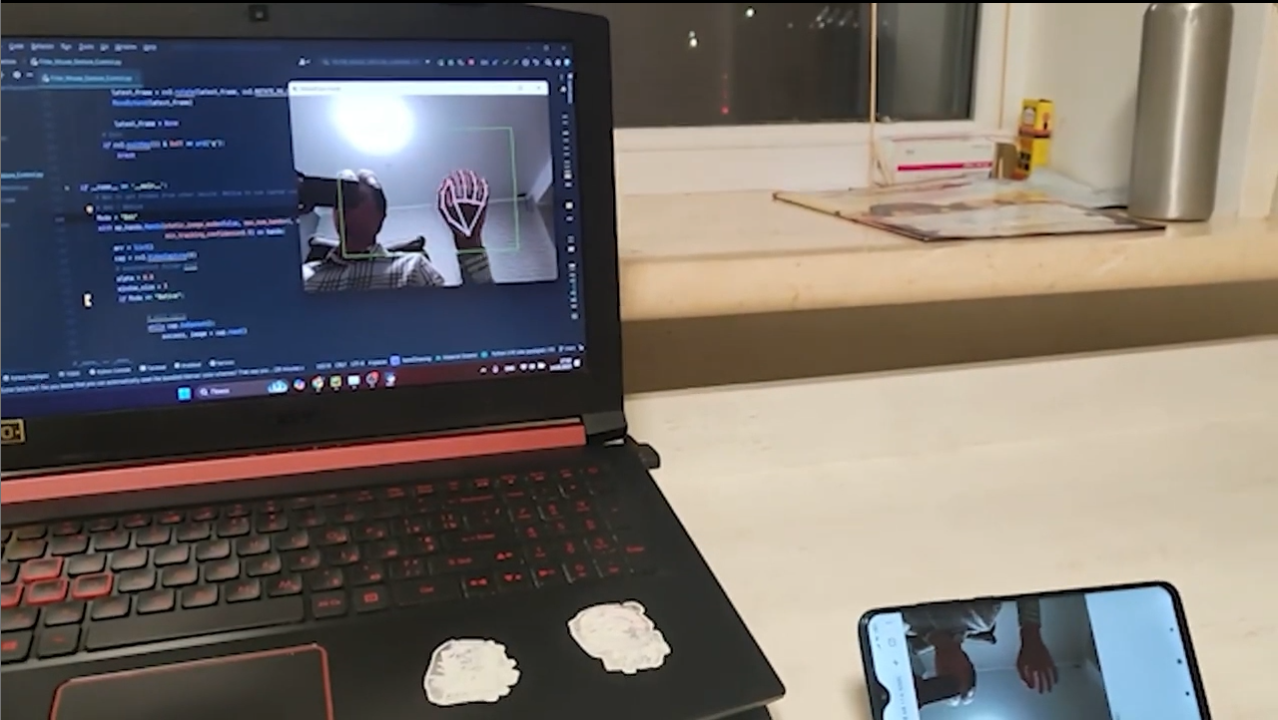
An interactive project that transforms hand gestures into mouse actions using computer vision.
The system tracks hand movement in real time and translates gestures into cursor motion, clicks, and holds — offering a natural, touch-free way to control a computer.
Heres project github – View on GitHub
Overview

This project combines OpenCV, MediaPipe, and a Flask web server to detect hand landmarks from a live video feed and map them to on-screen mouse actions.
It supports both local webcam processing and remote camera streaming via Flask.
Technologies Used
- Python
- OpenCV — real-time video processing
- MediaPipe — robust hand-tracking pipeline
- Flask + Flask-CORS — remote frame streaming
- Mouse — system-level cursor control
- NumPy
- Threading, Math, Time
Project Structure
- Receives video frames and updates the latest frame.
- Uses MediaPipe to detect hand landmarks and analyze gestures.
- Maps hand movement to screen coordinates and simulates mouse clicks.
Server Setup
The Flask server listens for incoming video frames:
/– Serves the index page./send– Receives a video frame via POST request.
Flask Server:
@app.route('/')
def index():
    return render_template('index.html')

@app.route('/send', methods=['POST'])
def receive_frame():
    global latest_frame
    if 'frame' not in request.files:
        return "No frame received", 400
    file = request.files['frame']
    np_arr = np.frombuffer(file.read(), np.uint8)
    latest_frame = cv2.imdecode(np_arr, cv2.IMREAD_COLOR)
    return "Frame received", 200
Mouse Control
Key Functions:
def smooth(prev, curr):
    """Applies exponential smoothing to reduce noise."""
    return prev * 0.8 + curr * 0.2

def moving_average(prev_values, curr_value, window_size=5):
    """Computes the moving average of the last window_size values."""
    prev_values.append(curr_value)
    if len(prev_values) > window_size:
        prev_values.pop(0)
    return sum(prev_values) / len(prev_values)

def map_range(value, minIn, maxIn, minOut, maxOut):
    """Maps a value from one range to another."""
    return minOut + (value - minIn) * (maxOut - minOut) / (maxIn - minIn)
Gesture Control:
- Moving the hand → Moves the mouse cursor.
- Pinching index finger and thumb → Simulates a left-click.
- Holding a gesture → Simulates a mouse hold.
if length_for_click < 0.05:
    mouse.click(button='left')
    time.sleep(0.3)